
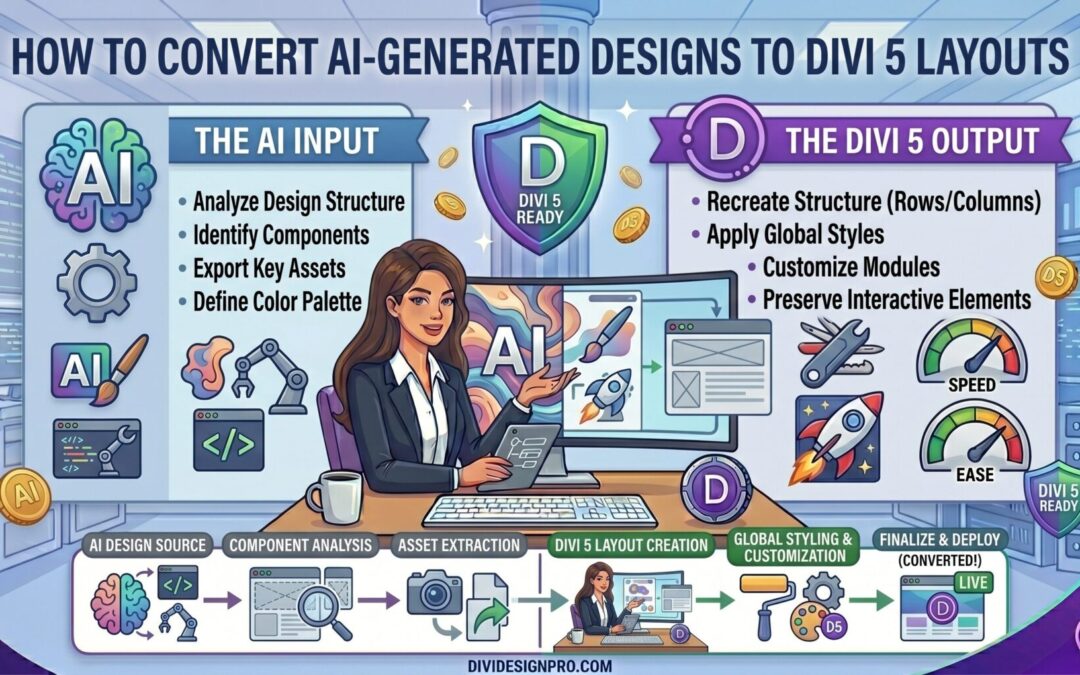
Artificial intelligence has transformed the way websites are designed. Tools like ChatGPT, Claude, Midjourney, and other AI-powered design platforms can generate impressive website mockups in minutes. However, a design is only the first step. To launch a real website, those designs must be translated into a flexible, maintainable, and responsive page builder.
This is where Divi 5 excels.
By combining AI-generated design concepts with Divi 5's modern design system, you can significantly accelerate website development while maintaining full control over content, responsiveness, and future updates.
In this guide, you'll learn how to convert AI-generated designs into professional Divi 5 layouts efficiently and accurately.
Why Use AI for Website Design?
AI can generate:
- Website mockups
- Landing page concepts
- Homepage layouts
- Wireframes
- Design systems
- Content suggestions
- Color palettes
- Typography recommendations
Instead of starting from a blank canvas, designers can use AI to rapidly explore ideas and create visual direction.
The result is faster design iteration and shorter project timelines.
The Problem With AI Generated Designs
While AI can create beautiful mockups, those designs are often:
- Static images
- Not responsive
- Difficult to edit
- Not connected to a CMS
- Missing scalable design systems
- Unoptimized for real-world website maintenance
A website image is not a website.
To create a professional website, the design needs to be rebuilt using a proper framework that supports content management, responsiveness, and long-term maintenance.
That's where Divi 5 becomes the bridge between AI-generated creativity and production-ready websites.
Why Divi 5 Is Ideal for AI Design Translation
Divi 5 introduces several improvements that make it particularly well-suited for recreating AI-generated layouts.
Key advantages include:
- Visual drag-and-drop editing
- Global Variables
- Design Presets
- Improved performance
- Flexible layout system
- Responsive design controls
- Advanced design consistency tools
Instead of building every page independently, Divi 5 allows you to create scalable systems that mirror the structure of professional design files.
Step 1: Generate the Initial Design
The first step is creating the design concept.
Many designers use AI tools to generate:
- Homepage designs
- Service pages
- SaaS landing pages
- Agency websites
- Portfolio websites
- E-commerce layouts
The goal is not to get perfect code.
The goal is to get strong visual direction.
At this stage, focus on:
- Layout structure
- Section hierarchy
- Visual style
- Typography
- Color usage
- Content placement
Step 2: Analyze the Design Before Building
One mistake many beginners make is immediately rebuilding the design module by module.
Instead, analyze the design first.
Ask questions such as:
What Sections Exist?
Examples:
- Hero section
- Features section
- Testimonials
- Statistics
- Pricing table
- Call to action
- Footer
Which Components Repeat?
Examples:
- Feature cards
- Buttons
- Team member cards
- Testimonial layouts
What Design Patterns Are Used?
Examples:
- Border radius values
- Colors
- Typography sizes
- Shadows
- Spacing system
Identifying these patterns early saves significant time later.
Step 3: Create Global Variables First
One of the biggest advantages of Divi 5 is the Global Variables system.
Before building any sections, define:
Colors
Create variables for:
- Primary color
- Secondary color
- Accent color
- Text colors
- Background colors
Spacing
Create reusable values for:
- Section padding
- Card spacing
- Margins
- Gaps
Border Radius
If cards consistently use the same radius, store it globally.
Typography
Create consistent heading and body text values.
This approach makes future design updates dramatically easier.
Instead of changing hundreds of elements individually, you update a single variable.
Step 4: Build Reusable Presets
After defining global variables, create Design Presets.
Common presets include:
Buttons
Create a universal button style.
Headings
Create presets for:
- H1
- H2
- H3
- H4
Cards
Build reusable card styles for:
- Features
- Services
- Testimonials
Presets ensure consistency throughout the website.
Step 5: Recreate the Layout Structure
Now begin translating the design into Divi 5.
Start with the overall page structure:
Header
Build the navigation area.
Hero Section
Create the main visual impact area.
Content Sections
Add supporting sections one by one.
Footer
Finish with the footer structure.
Focus on layout accuracy before worrying about small visual details.
Step 6: Make the Layout Responsive
Many AI-generated designs only show desktop views.
A professional website must work on:
- Desktop
- Tablet
- Mobile
Review each section and adjust:
- Typography
- Padding
- Margins
- Column stacking
- Image sizing
Divi 5 provides responsive controls that make these adjustments straightforward.
Step 7: Optimize for Scalability
This is where many developers stop, but it's one of the most important steps.
A layout should not only look correct today.
It should remain easy to maintain six months from now.
Consider:
Global Variables
Use them wherever possible.
Presets
Apply reusable styles.
Dynamic Content
Use dynamic fields when appropriate.
Loop Builder
For repeating content such as:
- Blog posts
- Team members
- Portfolios
- Products
Avoid manually creating repetitive layouts.
Common Mistakes When Converting AI Designs
Copying Everything Literally
AI designs often contain decorative elements that may not improve user experience.
Focus on usability rather than pixel-perfect imitation.
Ignoring Mobile Design
A beautiful desktop layout can become unusable on mobile if responsiveness is ignored.
Not Using Global Variables
Manually styling every element creates maintenance problems later.
Creating One-Off Designs
Reusable systems are more valuable than individual pages.
Overcomplicating Layouts
Sometimes the simplest Divi structure achieves the same visual result with better performance.
Benefits of AI + Divi 5 Workflow
Combining AI-generated design concepts with Divi 5 offers several advantages:
Faster Design Process
Generate ideas in minutes instead of hours.
Reduced Design Costs
Create high-quality concepts without extensive custom design work.
Greater Flexibility
Divi allows complete customization after the design phase.
Easier Maintenance
Global Variables and Presets simplify long-term updates.
Faster Project Delivery
Move from concept to production significantly faster.
Real World Example Workflow
A typical project might look like this:
- Generate website concepts using AI.
- Select the strongest design direction.
- Analyze sections and components.
- Create Divi 5 Global Variables.
- Build reusable Presets.
- Recreate the layout in Divi.
- Optimize responsiveness.
- Implement dynamic content where needed.
- Test performance and usability.
- Launch the website.
This process combines the speed of AI with the reliability of a professional website builder.
Final Thoughts
AI is rapidly changing the design process, but successful websites still require thoughtful implementation. The real value comes from transforming AI-generated concepts into scalable, maintainable websites that clients can easily manage.
Divi 5 provides the perfect environment for this workflow. Features like Global Variables, Design Presets, Responsive Controls, and Loop Builder make it possible to convert AI-generated designs into production-ready websites without sacrificing flexibility or maintainability.
Rather than viewing AI as a replacement for web designers, consider it a powerful design assistant. When combined with Divi 5, AI can help you move from idea to launch faster than ever while still delivering professional, high-quality WordPress websites.