
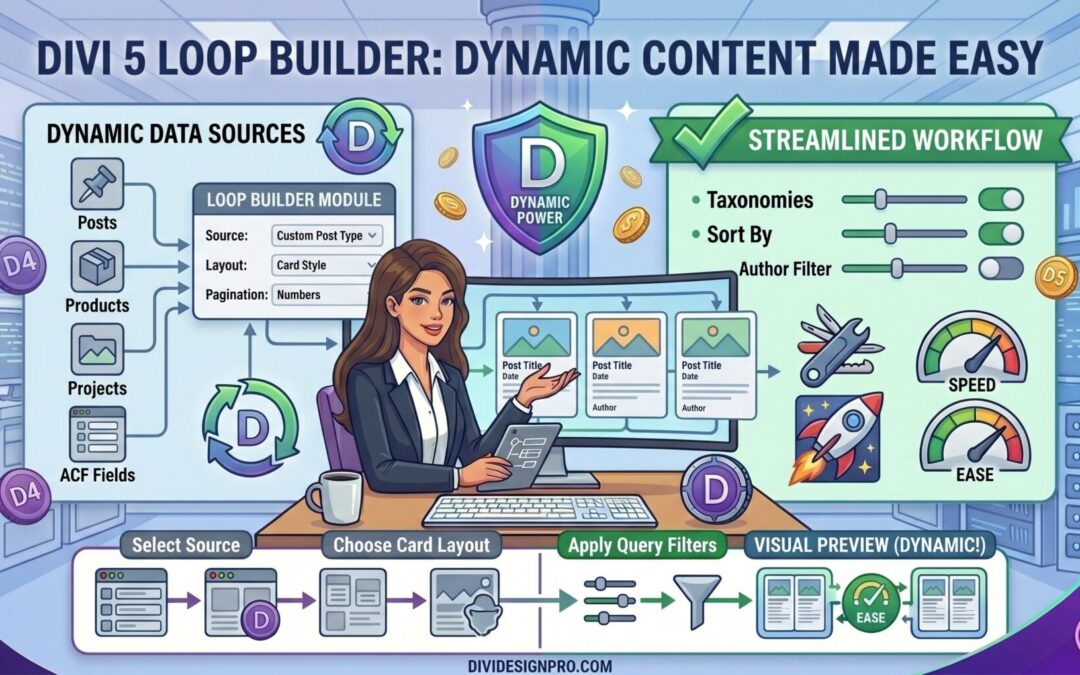
Divi 5 introduces several powerful features aimed at improving website building workflows, and one of the most exciting additions is the Loop Builder. This feature allows designers and developers to create dynamic, repeatable layouts without relying on custom code or third-party plugins.
Whether you're building blogs, portfolios, team pages, testimonials, WooCommerce stores, or custom post type archives, the Divi 5 Loop Builder gives you complete design freedom while keeping your website scalable and maintainable.
What Is the Divi 5 Loop Builder?
The Loop Builder is a feature that automatically repeats a layout for multiple pieces of content. Instead of manually creating and updating individual elements for every blog post, product, or team member, you design a single template and Divi generates the rest dynamically.
Think of it like creating a blueprint once and letting Divi populate it with data from your website.
For example:
- Create one blog card design
- Connect it to your posts
- Divi automatically generates cards for all posts
If you add a new post tomorrow, it automatically appears in the loop without any design work.
Why the Loop Builder Matters
Before the Loop Builder, creating dynamic content layouts often required:
- Theme Builder templates
- Blog modules with limited design flexibility
- Custom PHP development
- Third-party plugins
The Loop Builder changes this by allowing virtually any layout to become dynamic.
This means you can build:
- Custom blog grids
- Team member directories
- Real estate listings
- Service catalogs
- Portfolio showcases
- Event listings
- Testimonial sections
- WooCommerce product displays
All using the same visual builder you already know.
How the Loop Builder Works
The concept is simple.
Step 1: Create a Layout
Design a section, row, or module exactly as you want it to appear.
For example:
- Featured image
- Post title
- Excerpt
- Read More button
Step 2: Enable Loop Mode
Turn on Loop Mode for the container.
This tells Divi that the content inside should repeat for each item in the selected data source.
Step 3: Choose a Data Source
Select where the content should come from.
Examples include:
- Blog posts
- WooCommerce products
- Portfolio items
- Custom post types
Step 4: Connect Dynamic Content
Bind elements such as:
- Titles
- Images
- Excerpts
- Categories
- Custom fields
- Author information
- Dates
Divi automatically replaces placeholders with real content.
Step 5: Publish
Once published, Divi generates all items automatically.
Benefits of Divi 5 Loop Builder
1. Complete Design Freedom
Traditional blog modules often restrict your design options.
With Loop Builder, you can use:
- Sections
- Rows
- Columns
- Modules
- Nested layouts
This means you're not locked into predefined templates.
2. Better Scalability
Imagine manually updating 100 service pages.
With a loop-based design, you update the template once and changes appear everywhere.
This significantly reduces maintenance time.
3. Consistent Design System
Consistency is essential for professional websites.
Loop Builder ensures every item follows the same design standards, spacing, typography, and structure.
4. Dynamic Content Integration
Divi 5 continues expanding its dynamic content capabilities.
You can connect loop items to:
- Post titles
- Featured images
- Categories
- Tags
- Custom fields
- WooCommerce product data
This creates highly personalized layouts without coding.
5. Improved Workflow
Instead of building pages one by one, designers can focus on creating reusable systems.
This is especially valuable for agencies and freelancers managing multiple projects.
Real World Use Cases
Blog Post Grids
Create visually engaging blog layouts that automatically update whenever new content is published.
Team Member Directories
Build a single team card design and dynamically display all employees.
WooCommerce Product Listings
Show products with:
- Images
- Prices
- Ratings
- Descriptions
- Add to Cart buttons
All generated dynamically.
Portfolio Showcases
Display projects using custom layouts while keeping everything connected to your portfolio post type.
Property Listings
Real estate websites can dynamically display:
- Property images
- Prices
- Locations
- Bedrooms
- Bathrooms
Without manually creating each card.
Loop Builder vs Traditional Modules
| Feature | Traditional Modules | Loop Builder |
|---|---|---|
| Design Flexibility | Limited | Extremely High |
| Dynamic Content | Partial | Full |
| Reusable Layouts | Basic | Advanced |
| Custom Post Types | Limited | Excellent |
| Scalability | Moderate | High |
| Maintenance | More Effort | Much Easier |
For many projects, Loop Builder becomes the preferred solution because it combines dynamic functionality with complete visual control.
Best Practices
Use Global Presets
Combine Loop Builder with Divi 5 Global Presets.
This ensures typography, spacing, and styling remain consistent across the website.
Leverage Global Variables
Store values such as:
- Colors
- Spacing
- Font sizes
- Border radii
Using Global Variables makes future updates significantly easier.
Keep Layouts Lightweight
Avoid excessive nesting and unnecessary modules.
Cleaner layouts generally result in better performance.
Test Different Screen Sizes
Since loops can generate many items, always verify:
- Desktop layouts
- Tablet layouts
- Mobile layouts
To ensure a consistent experience.
Is the Divi 5 Loop Builder Worth Using?
Absolutely.
The Loop Builder represents a major step forward in how dynamic websites are built with Divi. It reduces repetitive work, improves scalability, and gives designers complete control over how content is displayed.
For freelancers, agencies, and business owners, this means faster development, easier maintenance, and more professional results.
If you're building content-driven websites with Divi 5, the Loop Builder is likely to become one of the most valuable tools in your workflow.
Final Thoughts
Divi 5's Loop Builder brings modern dynamic website creation directly into the visual builder. Instead of relying on rigid modules or custom development, you can now create powerful repeatable layouts using the same drag-and-drop experience that makes Divi popular.
Whether you're building a blog, portfolio, WooCommerce store, or custom directory, the Loop Builder helps transform static designs into scalable systems that grow with your website.
As Divi 5 continues to evolve, the Loop Builder is poised to become one of the platform's most impactful features for creating dynamic and maintainable WordPress websites.