
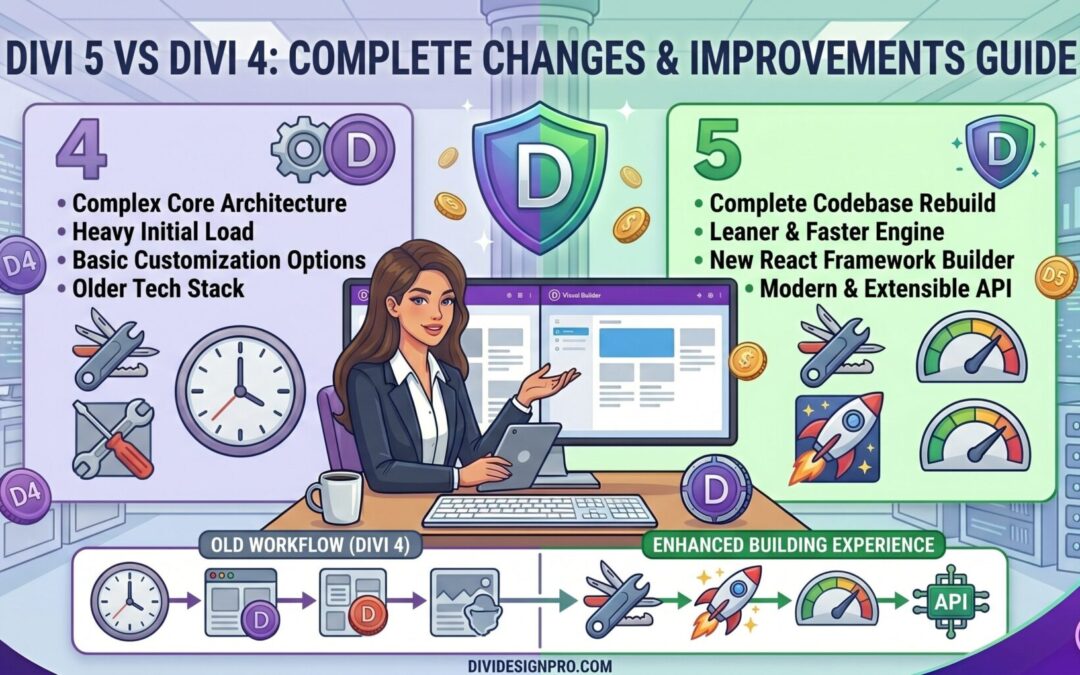
Divi 5 marks one of the biggest updates in the history of the Divi theme. Instead of being just a minor release, Divi 5 has been rebuilt from the ground up with modern architecture, better performance, and a smoother design experience. Users and developers alike will notice key improvements over Divi 4 in speed, usability, customization control, and future-proofing.
1. Complete Removal of Shortcodes
One of the most significant changes in Divi 5 is the complete elimination of shortcodes. In Divi 4, shortcodes were used to save content and layout data, but this often led to slower front-end rendering, layout inconsistencies, and issues when switching themes. Divi 5 removes shortcodes entirely, enabling modules to load directly and reducing page rendering time. This translates into faster websites and fewer layout problems.
2. Major Performance and Speed Enhancements
Divi 5 introduces a leaner, more efficient modular framework that only loads the necessary CSS and JavaScript for each page. This improves both the Visual Builder experience and front-end performance. Compared to Divi 4, editing large or complex layouts feels significantly faster, and changes appear almost instantly.
3. Streamlined and Customizable Interface
Divi 5 brings a cleaner, more intuitive user interface. Panels can dock to the sides of the screen, reducing clutter and allowing designers to keep multiple settings open at once. This improves workflow and makes it easier to manage complex layouts without constantly opening and closing windows.
4. One-Click Editing
The editing experience in Divi 5 is faster and more efficient thanks to one-click editing. In Divi 4, accessing module settings often involved navigating through multiple steps. Divi 5 simplifies this with direct access to settings from the Visual Builder, so changes can be made with a single click.
5. Enhanced Responsive Design Tools
Responsive design is easier in Divi 5 because responsive controls are integrated directly into the main settings panel. Adjusting layouts for mobile, tablet, and desktop views is more efficient, and responsive tools are available without extra steps.
6. Multi-Panel Docking and Better Navigation
Divi 5 allows multiple panels to stay open and docked simultaneously, improving multitasking during design work. In addition, breadcrumb navigation helps designers quickly jump between sections, rows, and modules, making navigation in complex layouts much more intuitive.
7. Light and Dark Mode Options
Divi 5 introduces interface modes that aren’t available in Divi 4. Designers can switch between light and dark mode, providing a more comfortable editing environment based on personal preference or lighting conditions.
8. Improved Preset and Style Management
Divi 5 comes with a new class-based preset system, which makes it easier to apply and manage styles globally. This system lets users reuse styles across modules without manual re-application, dramatically speeding up the design process.
9. Better Developer Tools and API
Developers get a more flexible API in Divi 5, making it simpler to build custom modules, integrations, and advanced functionality that wasn’t easily achieved in Divi 4. This expanded capability opens up new possibilities for custom solutions and third-party extensions.
10. Modern Technology Support and Future-Proofing
Divi 5’s architecture aligns with modern WordPress development practices. It supports newer JavaScript standards and reduces dependency on outdated frameworks. This focus on modern tech ensures Divi stays compatible with future updates and tools.
Summary
Divi 5 is not just a simple version upgrade over Divi 4. It represents a reimagined framework focused on speed, efficiency, flexibility, and a better overall user experience. Whether you are building sites for clients or managing complex web projects, Divi 5 offers a faster editing experience, cleaner code structure, smarter design tools, and better long-term compatibility with WordPress technologies.