
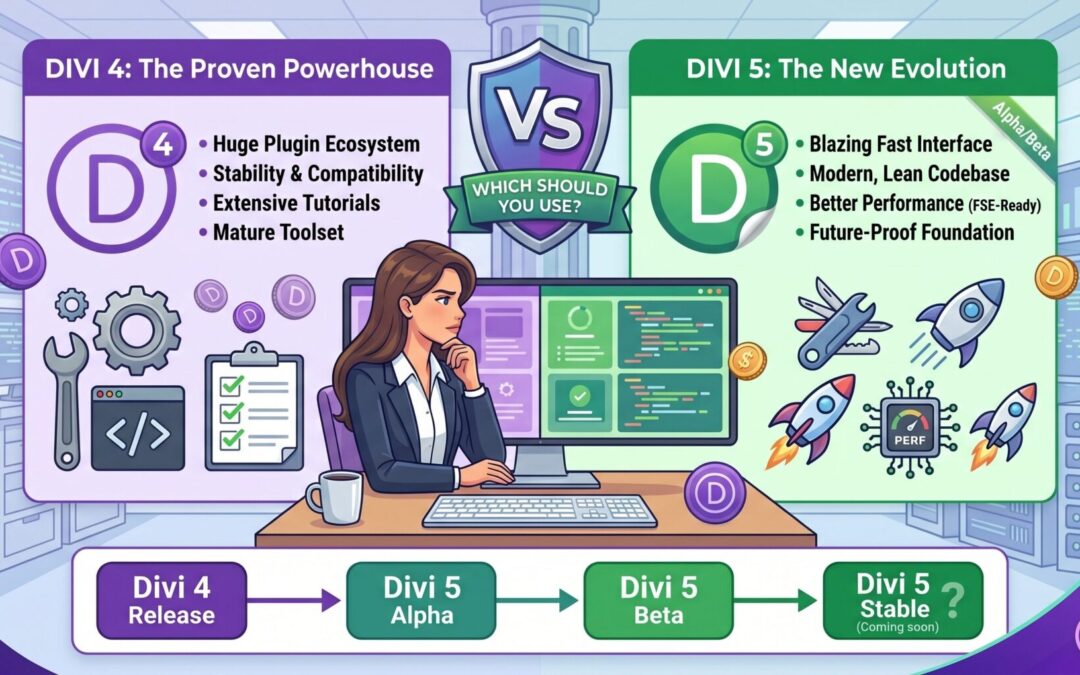
The question comes up constantly in client conversations and Divi Facebook groups: what is actually different between Divi 5 and Divi 4, and does the new version live up to the hype?
I have been building with both versions and I want to give you a genuinely useful comparison, not a marketing pitch. Here is a real breakdown of what changed, what improved, and what you should know before making a decision.
The Core Difference: Evolution vs. Rewrite
Divi 4 was built on top of years of incremental updates layered onto the original Divi codebase. Over time, that added weight. The builder worked, but under the hood there was a lot of legacy code carrying baggage from older versions of WordPress and older browser standards.
Divi 5 is a ground-up rewrite. Elegant Themes essentially started fresh, which means the code is cleaner, faster, and built for how the web works today rather than how it worked a decade ago.
Side by Side: Divi 4 vs Divi 5
Performance
Divi 4 generates a significant amount of CSS that gets loaded on every page, including styles for modules and features that you may not even be using on a given page. This adds weight to your pages and slows down load times.
Divi 5 generates only the CSS that each specific page actually needs. This is called critical CSS, and it makes a dramatic difference in page load speed. In real-world tests, Divi 5 sites consistently score higher on Google PageSpeed Insights and Core Web Vitals compared to equivalent Divi 4 builds.
The Visual Builder Experience
Divi 4's builder is mature and capable, but it can feel slow when you are working on pages with many sections and modules. The interface sometimes lags, especially when switching between tabs or making rapid changes to multiple elements.
Divi 5's builder is noticeably snappier. The interface feels more like a modern web application. Changes apply faster, the undo history is more reliable, and working through a complex layout feels smoother overall.
Custom Module Development
In Divi 4, building a custom module required working within a PHP-based API that, while functional, was not particularly elegant. Creating something truly custom meant a lot of boilerplate code and working around quirks in the system.
Divi 5 introduces a new JavaScript-based module API that is better documented, more flexible, and much more in line with how modern WordPress development works. If you ever want a feature that does not exist in the default Divi module library, it is far easier to build in Divi 5.
Responsive Design Controls
Both versions allow you to customize how your site looks on different screen sizes. But Divi 4's responsive controls, while comprehensive, are spread across multiple tabs and settings panels in a way that can make the workflow feel fragmented.
Divi 5 streamlines this. The responsive controls are more accessible, more consistent, and more intuitive. Making your site look sharp on mobile takes less back-and-forth.
Compatibility with WordPress
WordPress has been moving toward the block editor (Gutenberg) and the full-site editing model for several years. Divi 4 was designed before that shift was clear, and while it was updated to maintain compatibility, there is some friction between the two systems.
Divi 5 is built with a clearer understanding of where WordPress is headed. It integrates more naturally with the WordPress ecosystem and is less likely to conflict with modern plugins, themes, and hosting environments.
Migrating From Divi 4 to Divi 5
This is the part that causes the most hesitation, and rightly so. Divi 5 is not a backward-compatible drop-in replacement. Sites built in Divi 4 will not automatically look the same after upgrading.
The reason is that Divi 5 uses different CSS class names and a different markup structure. Custom CSS written for Divi 4 will need to be reviewed and updated. Third-party Divi plugins built for Divi 4 may not yet have Divi 5 compatibility.
For brand new sites, this is not a concern. For existing sites, migration should be done carefully: test on a staging environment, audit your custom CSS, and check all third-party plugin compatibility before going live.
Which One Should You Use Right Now?
For new projects: Divi 5, without hesitation. You get better performance, a cleaner developer experience, and you are building on the platform that Elegant Themes is actively investing in.
For existing Divi 4 sites: Plan your migration rather than rushing it. The benefits of Divi 5 are real, but a botched upgrade can cause visible issues on a live site. Work with a Divi 5 freelancer who understands both versions and can handle the transition cleanly.
Final Verdict
Divi 5 wins on every technical metric: speed, code quality, builder experience, and future-proofing. Divi 4 is still supported and still works perfectly well for sites that are already built on it. But for anything new, Divi 5 is the clear choice.
If you are unsure how to approach the migration or want help building something new in Divi 5, feel free to reach out. I work with both versions and can help you choose the right path for your specific project.